SAP BusinessObjects Enterprise InfoView User's Guide
To associate a business question with an
object
In
InfoView, open the object
you want to associate a question with.
In
"Encyclopedia", click
Edit.
The
"Edit"
dialog box appears.
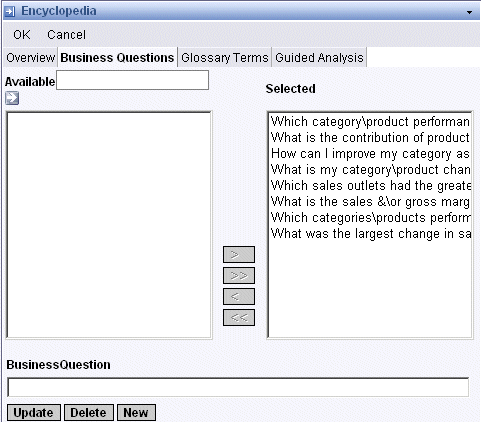
Click the
Business
Questions tab.
The
"Selected" area displays
questions that are already associated with the object.
Search for the questions you want
to associate with the object by performing one of the following actions:
Enter text in the text box above the
"Available" area, and click
Search.
"Encyclopedia" displays a list
of all questions that match the text that you entered.
Click
Search to display a list of all
available questions.
You can add or remove questions
associated with the object:
To associate a question with the object,
click the question in the
"Available" window, and then
click
>.
To associate all available questions with
the object, click
>>.
To remove an associated question from the
object, click the question in the
"Selected" window, and click
<.
To remove all associated questions from
the object, click
<<.